FAQs
Frequently Asked Questions
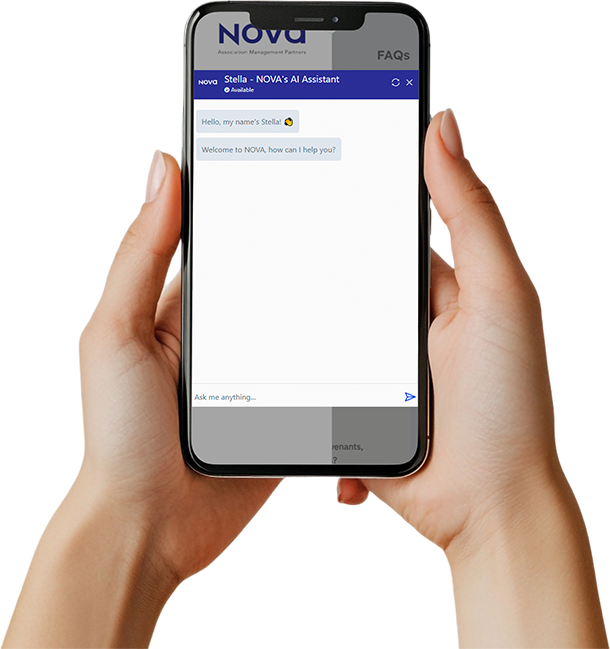
Our most common questions answered. Need more details? Chat with Stella, our AI digital assistant, or contact us directly via text or email.

Common questions answered
How to Contact Nova
Text Stella, your Association’s digital assistant at 1 (888) 327-6682. Stella is available 24/7! If she cannot provide the requested information, a request will be submitted to one of our team members to respond during business hours.
To contact the Solution Team, you may submit requests through the Homeowner Portal, email solution.team@novaamp.com or call (206) 215-9732 or (503) 606-8002 during business hours. If you do not reach us, please leave a brief message and we will return your call promptly.
For after-hours emergencies, please follow emergency instructions at our business numbers.
Submitting Payments & Billing (online)
On your portal Dashboard or your Payments page, click “Make a Payment.” If the payment page does not open, check your browser’s pop-up blocker settings.
ZEGO – Set up free autopay using bank information (Variable autopay).
Association’s Bank’s Payment Site – One-time or recurring payments using bank account or card. Processing fees may apply.
You can also reach out to Nova via New Request in the Portal, or text Stella, your Association’s digital assistant, at 1 (888) 327-6682. Stella is available 24/7! If she cannot provide the requested information, a request will be submitted to one of our fantastic Solution Team members to respond to during business hours.
Submitting Payments & Billing (by mail)
If you wish to mail a check, please refer to your Welcome Letter for the Remittance Address, as the address depends on which Bank the Association is using.
You can also reach out to Nova via New Request in the Portal, or text Stella, your Association’s digital assistant, at 1 (888) 327-6682. Stella is available 24/7! If she cannot provide the requested information, a request will be submitted to one of our fantastic Solution Team members to respond to during business hours.
Accessing Documents and Policies
Click here for an instructional video on accessing documents on the Homeowner Portal >
If you need documents specifically for a resale, or resale Questionnaires, Demands, and Resale Certifications you can obtain those through CondoCerts.com. Orders may take up to 10 days unless a rush option is selected. For help with your order, please call 1-800-310-6552.
Making Reservations
Does your community have amenities to reserve?
Click here for an instructional video on creating a reservation at your community >
Community Calendar
You can view your community’s calendar on the Homeowner Portal to stay up to date on meetings, maintenance work, and community events.
Click here for an instructional video on how to access your community’s calendar >
How to Submit Requests or Inquiries
Click the links below for instructional videos to submit or check the status of all requests on the Homeowner Portal.
How to Change Your Portal Password
How to Update Account Information
Here’s a video on how to update your address, email, phone number, vehicle information and more >
If you own multiple homes or units, please submit a Request with the addresses of all properties that you own, and we will link them for you!
Still have questions?
Click here to message us or ask Stella below.

Ask Stella Anything
Our digital assistant is here for you day or night to answer questions and deploy solutions immediately.